Demystifying the Smart Thermostat Wiring Mobile App Process
Using a smart thermostat wiring mobile app has made DIY thermostat installation more accessible than ever — but “accessible” doesn’t always mean “simple.” Tricky wiring setups, missing C-wires, and heat pump configurations can still trip up even confident homeowners.
Here are the best app-controlled smart thermostats for difficult wiring setups (June 2026):
| Thermostat | Best For | App | C-Wire Required? |
|---|---|---|---|
| Google Nest Learning Thermostat (4th Gen) | Most home types; learning schedules | Google Home | No (power sharing available) |
| Honeywell Home T10/T10+ | Multi-stage, IAQ, heat pumps | Resideo Pro | Yes (or EIM) |
| Amazon Smart Thermostat | Simple setups; Alexa homes | Alexa app | Yes (or adapter) |
| ecobee Premium | Multi-room sensing; HomeKit | ecobee app | No (includes adapter) |
| Lennox S40 | Lennox systems; advanced diagnostics | Lennox Home | Yes |
| SwitcheOn | Remote cabins; no Wi-Fi locations | SwitcheOn app | Yes |
Picking the right thermostat matters most when your home has unusual wiring — older houses without a C-wire, heat pump systems with O/B terminals, or multi-stage setups that need an Equipment Interface Module.
The good news: most modern smart thermostat apps now walk you through wiring step by step, generate custom wiring diagrams based on your existing setup, and even flag compatibility problems before you connect a single wire.
I’m Aaron, owner of Buckeye Electrical Solutions LLC, and I’ve overseen dozens of permitted residential electrical projects across Northeast Ohio — including plenty of projects where a smart thermostat wiring mobile app was used, but the “easy DIY” job turned out to need a licensed hand. In this roundup, I’ll help you find the right thermostat for your specific wiring situation so you can avoid the most common pitfalls.

When you open up a new smart thermostat, the instruction manual in the box is often incredibly brief. Why? Manufacturers have shifted their focus to the smart thermostat wiring mobile app experience.
By offloading the installation guide to a smartphone, companies like Google, Honeywell, and Amazon can provide dynamic, interactive, and highly customized instructions. Instead of squinting at a generic paper diagram with twenty different wires you don’t actually have, your phone screen shows only what is relevant to your specific home.
For instance, when you use the Install your Nest thermostat – Google Nest Help workflow, the app asks you to input exactly which terminal letters are connected on your old thermostat. It then processes this information to tell you if your system is compatible and gives you a bespoke, color-coded wiring diagram.
How a Smart Thermostat Wiring Mobile App Guides Your Installation
The installation process begins long before you mount the new hardware on the wall. A high-quality mobile app acts as an interactive coach. Here is how it guides you:
- Compatibility Checkers: Before you even unscrew your old thermostat, the app asks you about your current wiring. If you have high-voltage lines (which are common in baseboard heaters and dangerous to connect to low-voltage smart models), the app will flag this safety hazard immediately.
- Custom Wiring Diagrams: Based on the letters you select (such as R, W, Y, G, and C), the app generates a tailored graphic. This ensures you do not get confused by jumper wires or unused terminals.
- Step-by-Step Walkthroughs: The app guides you through safely shutting off the power, taking reference photos, labeling the wires, and mounting the new backplate.
- Tug-Testing and Verification: Once the wires are inserted, the app prompts you to verify that each wire is securely locked into its terminal.
This digital-first approach is highly effective, but it still requires a basic understanding of your home’s electrical layout. If you want to see how these low-voltage smart systems compare to other home automation projects, take a look at our guide on Smart Switch Installation: No Electrician Needed (Probably).
Overcoming C-Wire Challenges with a Smart Thermostat Wiring Mobile App
The “C-wire” (or common wire) is the unsung hero of the smart home world. Traditional thermostats operate like simple switches, running on small AA batteries or drawing minimal power only when the heating or cooling is running. Smart thermostats, however, feature full-color touchscreens, continuous Wi-Fi connections, and remote sensors. They need a steady, uninterrupted stream of 24-volt AC power.
The C-wire provides this continuous path back to the HVAC system’s transformer. If your home was built before the mid-1990s, your thermostat cable likely only has two to four wires, leaving you without a C-wire.
Fortunately, modern mobile apps are designed to help you navigate this exact problem. During setup, if you indicate that you do not have a C-wire, the app will offer alternative solutions:
- Power Extender Kits (PEK) / C-Wire Adapters: Brands like ecobee and Amazon include or offer a C-wire adapter. The mobile app will display a dedicated set of instructions showing you how to install this adapter inside your furnace or air handler cabinet.
- Power Sharing / Power Stealing: Some thermostats, such as the Nest Learning Thermostat, are designed to work without a C-wire by “stealing” small amounts of power from the heating or cooling circuits when the system is running. However, as detailed in the Creative | GGL24405 | Nest Learning Thermostat (4th gen) Pro Install Guide (version 12/12/2024) , power sharing can sometimes cause “short-cycling” or system hums on sensitive HVAC systems.
- Unused Wires: Sometimes, an extra wire is wrapped around the cable bundle behind your wall. The app will guide you to check for this hidden wire and show you how to connect it to the “C” terminal on both your thermostat and your furnace control board.
Preparing Your HVAC System and Wiring Safely
Working with your home’s electrical and HVAC systems requires strict safety protocols. Even though thermostat wiring is low-voltage (24V AC), a short circuit can easily blow a tiny fuse on your furnace control board, leaving you without heating or cooling until a professional replaces it.
Furthermore, electrical safety standards in Ohio are highly regulated. With Ohio’s 2023 NEC adoption, there are expanded GFCI requirements in several residential and commercial locations. While these rules qualify specific areas (like kitchens and laundry spaces) as situational rather than universal, they highlight the importance of proper grounding and circuit isolation throughout your home.
Step-by-Step Power Isolation and Wire Labeling
Before you touch a single wire, you must isolate the power. Follow these steps to prepare your system safely:
- Turn Off the Power: Do not rely on simply turning the thermostat to “Off.” Go to your main breaker panel and switch off the breaker labeled “Furnace,” “Heating,” or “HVAC.” Many homes in Northeast Ohio also have a dedicated service switch (which looks like a standard light switch) on the side of the furnace cabinet. Flip this off as well.
- Verify Power is Off: Try to turn on the fan or change the temperature on your old thermostat. If the display remains blank or the system does not kick on, the power is successfully isolated.
- Take a Smartphone Photo: Remove the faceplate of your old thermostat to reveal the wiring. Before disconnecting anything, take a clear, well-lit photograph. This photo is your ultimate safety net if you need to revert to the old setup.
- Label the Wires: Use the sticker labels provided with your new smart thermostat. Label each wire according to the letter of the terminal it is connected to, not the color of the wire insulation. For example, if a blue wire is connected to the “Y” terminal, label that wire “Y.”
This careful preparation mirrors the steps we take on more complex residential projects. To learn more about proper labeling and circuit safety, check out our walkthrough on Threes Company: Wiring Your Smart 3-Way Switch Like a Pro.
Conventional vs. Heat Pump Wiring Configurations
Thermostat wiring differs significantly depending on whether you have a conventional system (such as a gas furnace and standard air conditioner) or a heat pump system. A smart thermostat wiring mobile app will ask you to specify your system type because the terminals serve different functions:
- Conventional Systems: These typically use a W wire for heating, a Y wire for cooling, a G wire for the fan, and an R wire (or Rc/Rh) for power.
- Heat Pump Systems: Instead of a dedicated heating wire, heat pumps use a reversing valve to switch between heating and cooling modes. This valve is controlled by a wire connected to the O/B terminal. Heat pumps also feature auxiliary heat (often electric heat strips) that kick in during extreme Ohio cold snaps, which are wired to the Aux/Aux-E or W2 terminals.
- Dual Fuel Systems: These advanced setups combine an electric heat pump with a gas furnace for backup heat. Wiring these systems can be highly complex, as the thermostat must manage when to switch from the heat pump to the gas furnace based on outdoor temperatures.
Advanced Setups: Equipment Interface Modules and Remote Sensors
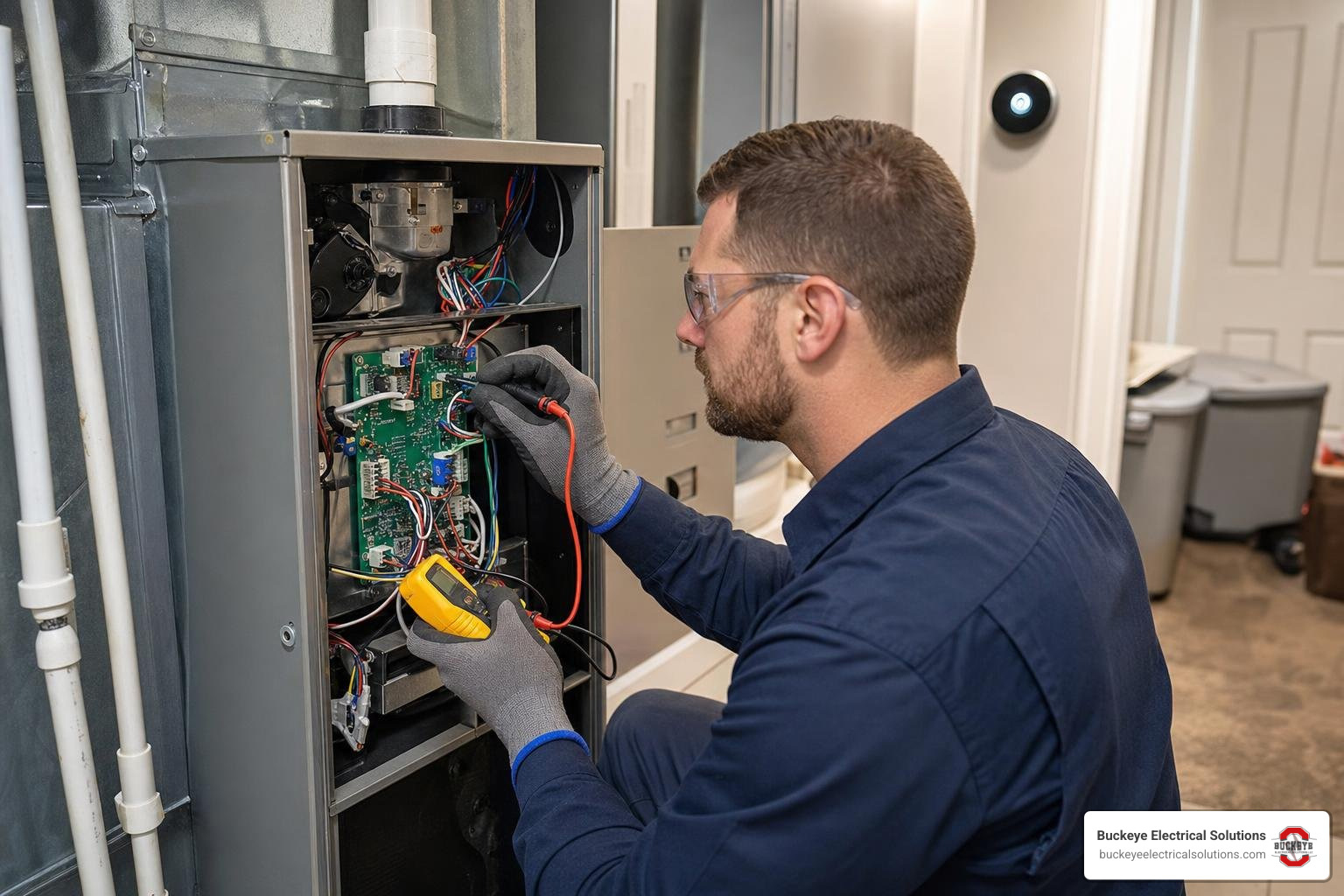
If you have a multi-stage heating and cooling system, a whole-home humidifier, or limited wires running through your walls, a standard direct-wire thermostat might not cut it. This is where advanced integration accessories come into play.
When to Use an Equipment Interface Module (EIM)
An Equipment Interface Module (EIM) acts as a translator between your smart thermostat and your heating and cooling equipment. Instead of running eight or nine separate wires from your furnace up to your living room wall, you only need to run two or three wires to power the thermostat. The thermostat then communicates with the EIM (which is mounted directly next to your furnace) wirelessly or over a simple data bus.
According to the 33-00462-05 T10 & T10+ Pro Smart Thermostat with Redlink 3.0 Product Data manual, using an EIM allows the Honeywell T10+ to control up to 4 heating stages and 2 cooling stages for heat pumps, as well as managing multiple Indoor Air Quality (IAQ) devices like humidifiers, dehumidifiers, and active ventilation systems. This drastically reduces the physical wiring visible on your walls while maximizing your system’s capabilities.
Integrating Wireless Sensors and Indoor Air Quality Accessories
Many modern smart thermostats allow you to pair wireless remote sensors. These sensors communicate back to the thermostat using proprietary low-power radio frequencies (such as Honeywell’s RedLINK 3.0, which operates on a 900 MHz frequency to avoid Wi-Fi interference).
By placing these sensors in drafty bedrooms or warm upstairs spaces, your thermostat can perform temperature averaging. This ensures your HVAC system runs until the rooms you are actually using reach the perfect temperature, rather than turning off as soon as the hallway where the thermostat sits gets comfortable.
Additionally, if you have a whole-home humidifier or dehumidifier, the mobile app can help you configure these auxiliary systems, allowing you to control both your home’s temperature and humidity levels from a single smartphone screen.
Troubleshooting Common Wiring and App Connection Issues
Even with the best smart thermostat wiring mobile app guiding you, issues can still arise during or after installation. If your thermostat fails to turn on, displays an error code, or frequently drops its Wi-Fi connection, refer to this troubleshooting guide to identify the likely cause and determine the priority level for resolving the issue.
| Symptom / Error | Likely Causes | Priority Level | Action to Take |
|---|---|---|---|
| Thermostat display is completely blank | Power is still off at the breaker; blown furnace fuse; missing C-wire connection | High | Verify the breaker is on. Check the 3A or 5A fuse on the furnace control board. |
| Outlet has no voltage; could indicate breaker, GFCI, switch, or wiring issue | Tripped GFCI upstream; loose wiring at the main panel; broken service switch | High | Inspect upstream safety devices and test voltage at the furnace service switch. |
| Error code: “No Power to RC/RH” | R-wire is loose; incorrect R-slider tab position on the backplate | Medium | Ensure the R-wire is fully inserted. Adjust the backplate slider tab if using a single transformer. |
| App cannot find the thermostat during setup | Bluetooth is disabled on phone; thermostat is too far from the router; local interference | Medium | Enable Bluetooth, bring your mobile device closer to the thermostat, and restart the app. |
| Frequent Wi-Fi connection drops | Weak Wi-Fi signal; 2.4 GHz vs 5 GHz band conflict; local wireless congestion | Low | Install a Wi-Fi extender; ensure the thermostat is connected to a dedicated 2.4 GHz network band. |
| System blows cold air when heat is turned on | Improper wiring of the O/B reversing valve wire; incorrect heat pump configuration in the app | High | Re-check your reversing valve settings in the app’s installer menu; verify the O/B wire terminal. |
Note: Any service pricing or estimates provided by our team are subject to change and dependent on local site conditions or AHJ requirements.
Frequently Asked Questions about Smart Thermostat Installation
What should I do if my home does not have a C-wire?
If your home does not have a C-wire, you have three primary options. First, you can install a C-wire adapter (often called a Power Extender Kit), which is included with many ecobee and Amazon thermostats. This adapter install takes about 15 minutes at your furnace control board. Second, you can check behind your wall for any unused wires in your thermostat cable bundle that can be repurposed. Finally, you can hire a licensed electrical contractor to pull a new, multi-conductor thermostat wire from your furnace to your living space.
Can I install a smart thermostat on a high-voltage system?
No. Standard smart thermostats are designed exclusively for low-voltage (24V AC) systems. If your existing thermostat is connected to thick wires secured with wire nuts, or if it is labeled 120V or 240V, you have a line-voltage system (common with electric baseboard heaters). Connecting a standard smart thermostat to these lines will instantly destroy the device and poses a severe fire and electrocution hazard. For high-voltage systems, you must purchase a specialty line-voltage smart thermostat.
How do mobile apps help troubleshoot post-installation errors?
Modern mobile apps connect directly to your thermostat via Bluetooth or local Wi-Fi to run system diagnostics. If a wire is loose or connected to the wrong terminal, the app will display a specific error code (such as Nest’s “e73” or “e74” power errors). The app will then provide targeted troubleshooting steps, showing you exactly which wire to check, saving you from having to guess which connection is causing the issue.
Conclusion
Upgrading to an app-controlled smart thermostat is one of the most effective ways to lower your energy bills and improve your home’s comfort. While a modern smart thermostat wiring mobile app makes the process highly visual and interactive, complex heating and cooling systems can still present unexpected challenges on the wall or at the furnace control board.
If you run into a tricky wiring configuration, a stubborn C-wire issue, or simply want the peace of mind that comes with a professional installation, we are here to help. At Buckeye Electrical Solutions, we have over 20 years of experience serving residential and commercial clients throughout Northeast Ohio. Our team of licensed electricians is known for exceptional service, safety, and prompt project completion.
Ready to upgrade your home automation safely? Learn more by reading our complete guide, Wire Up Your World: A Smart Thermostat Installation Walkthrough, or reach out to us today to schedule your professional smart home installation!